
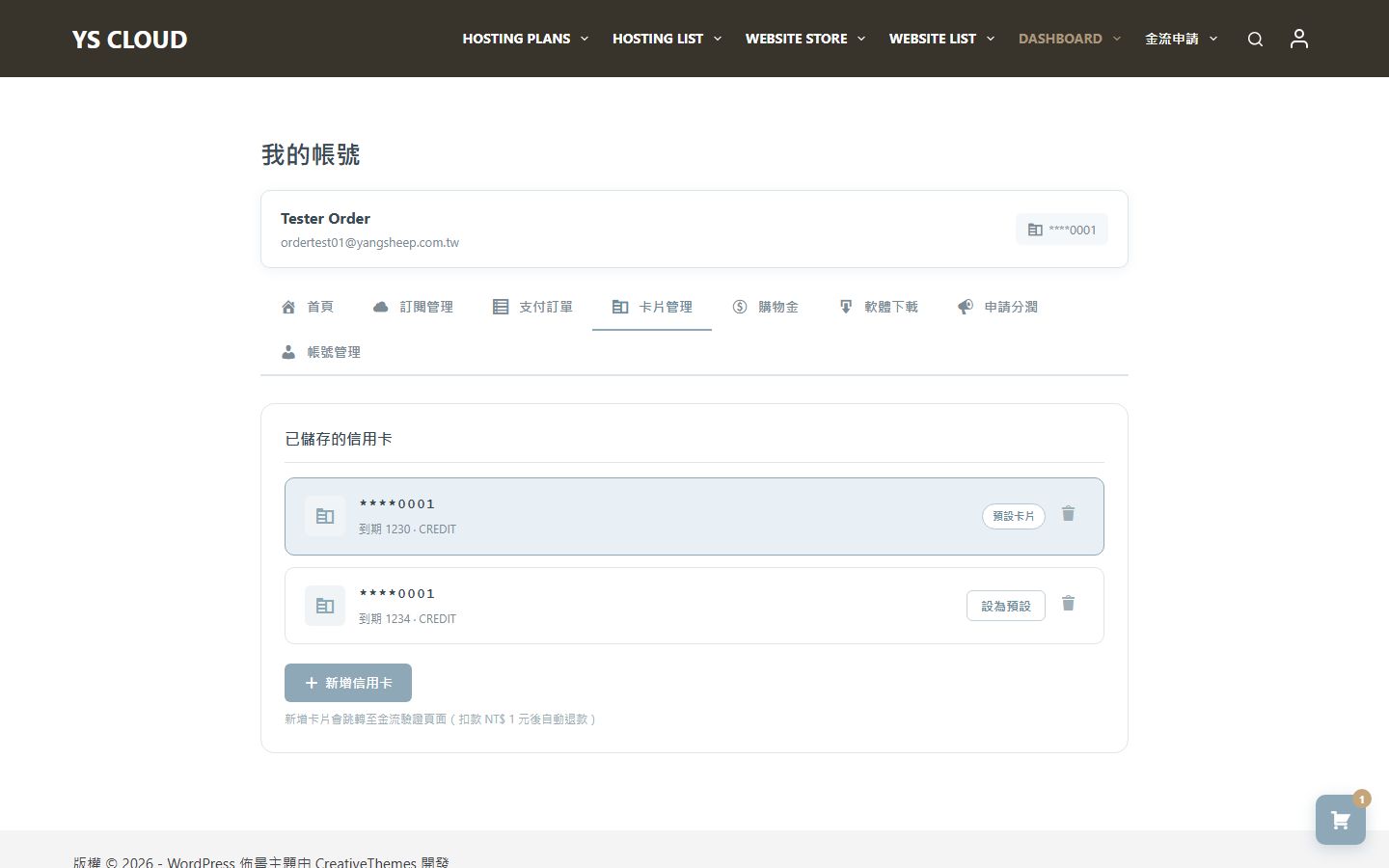
Add card / Remove credit card
You can manage credit cards in "My Account," including adding, deleting, and setting a default card.
Add credit card
Go to Credit Card Management
After logging in, go to the "My Account" -> "Payment Methods" page, and click the "Add Credit Card" button.
Enter card information
Enter your credit card number, expiration date, and security code. A $1 verification transaction will be conducted via PayUni and automatically refunded once the card is confirmed as valid.
Delete credit card
Choose the card to delete
In the list of payment methods, find the credit card you want to delete, click the "Delete" button, and confirm the action.
Deleting the default credit card may affect subscription renewals. Please ensure you retain at least one valid card as the default payment method, otherwise renewal payments will fail.
Set default card
Change default payment method
In the list of payment methods, click the "Set as default" button next to the card you want to set as default. The default card will be used for all auto-renewal payments.