
How to unsubscribe
If you no longer need hosting services, you can cancel your subscription at any time in the Dashboard. Please note that cancellations cannot be reversed.
Cancel step
Go to subscription management
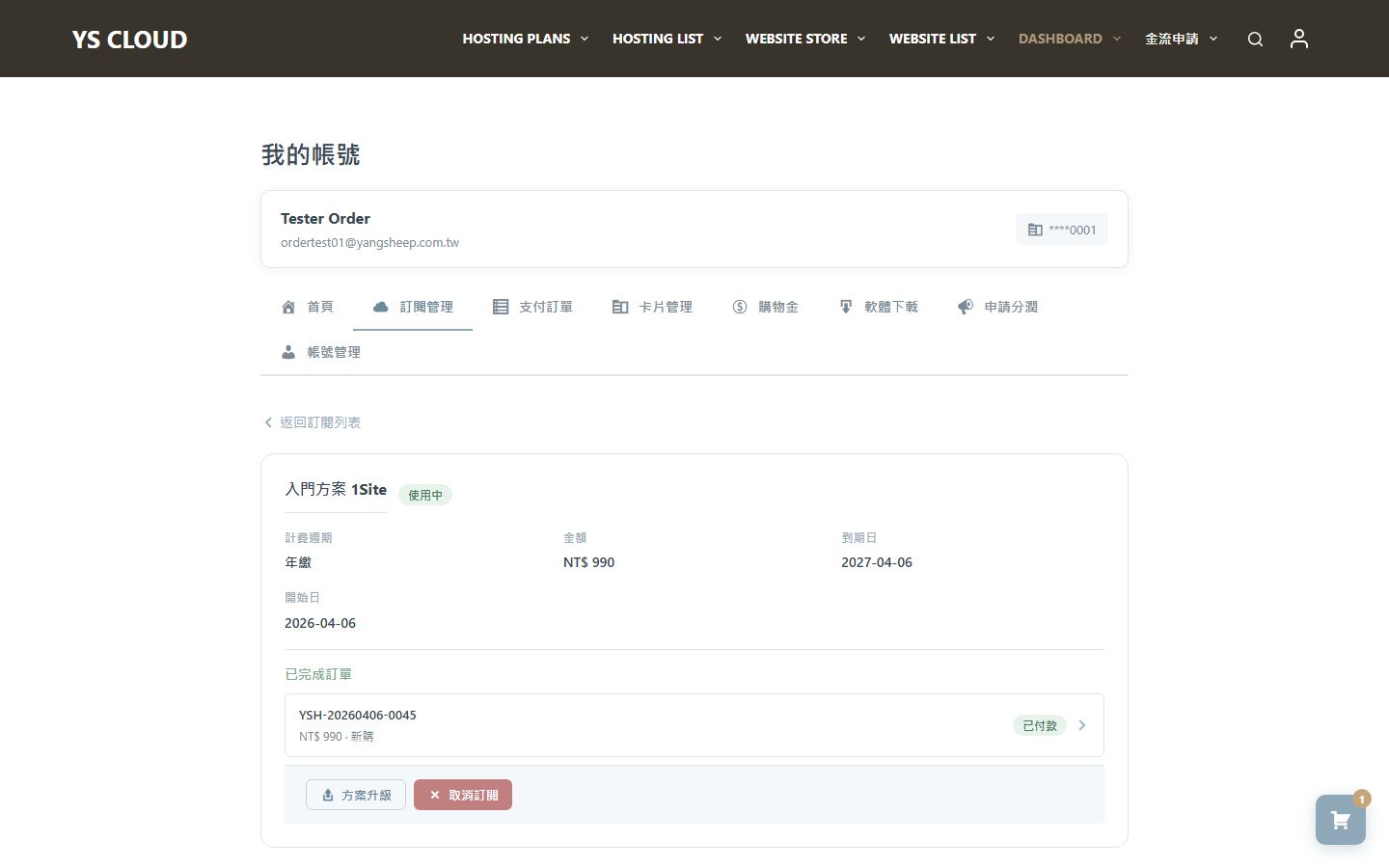
After logging in, go to "My Account," find the subscription service you want to cancel, and click "Manage Subscription" to enter the details page.
Confirm unsubscribe
On the subscription details page, click the "Cancel Subscription" button, and the system will ask you to confirm again. After confirmation, the subscription will be marked as canceled.
Once a subscription is canceled, it cannot be restored. Please ensure you have backed up all important data before canceling.
After unsubscribing, the service will continue until the end of the current billing period. After expiration, the hosting service will stop, and the website will be inaccessible.