
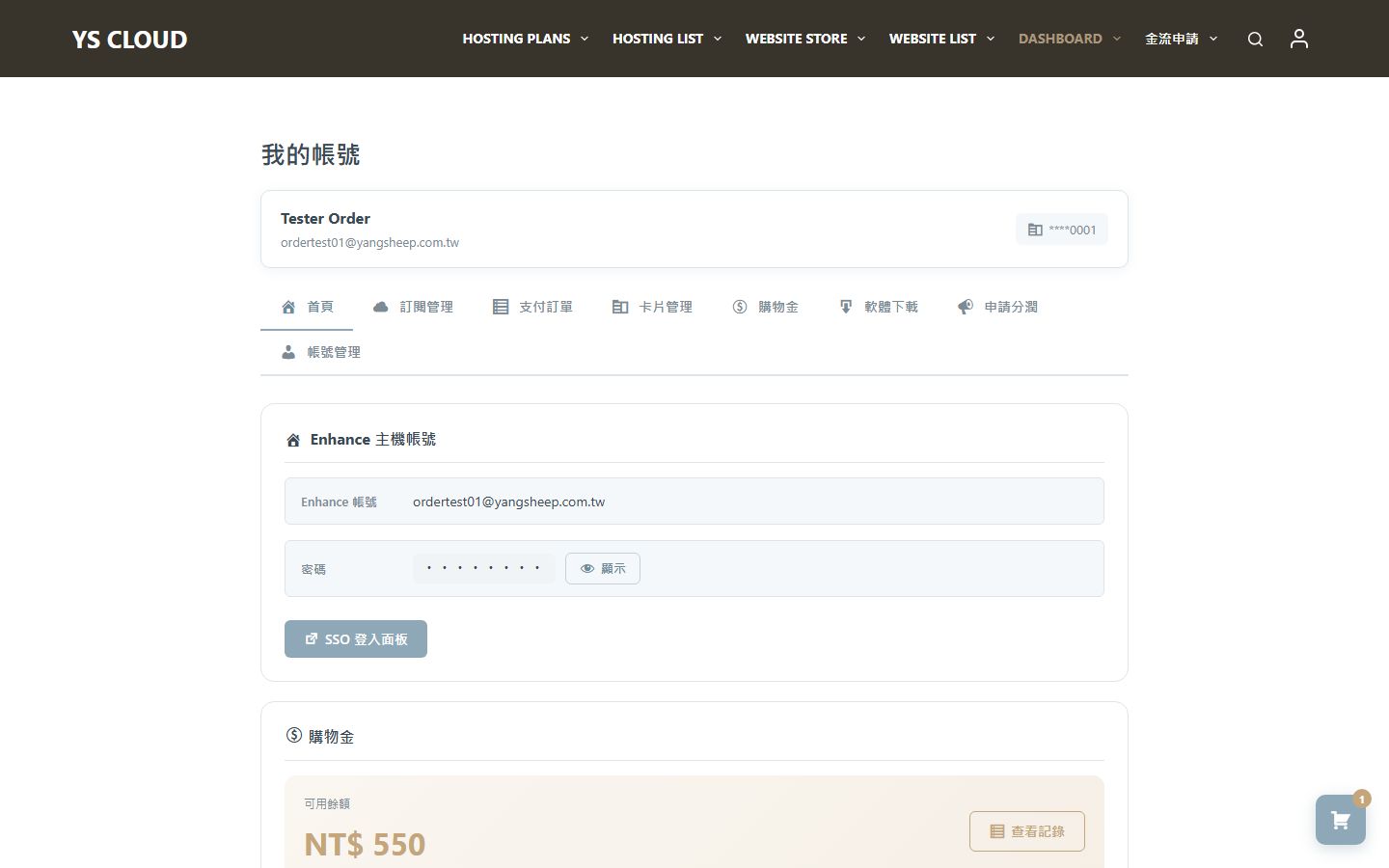
How to log in to the control panel
After purchasing a hosting plan, you can access the Enhance control panel with a single click through the Dashboard to manage your website, databases, SSL certificates, and more.
Login steps
Go to Dashboard
After logging into the website, go to the "My Account" page, and you will see a list of your active hosting services.
Click the SSO login button
On your hosting service card, click the "Log in to hosting panel" button. The system will automatically authenticate your identity via SSO (Single Sign-On), without requiring you to enter your username and password again.
Enter Enhance panel
After successful verification, you will be automatically redirected to the Enhance control panel. Here you can manage all hosting-related functions.
Enhance Panel Functionality
| Function | Explanation |
|---|---|
| File Management | Upload, edit, and manage website files through the web file manager |
| MySQL Database | Establishing and managing MySQL databases, importing and exporting data |
| SSL Certificate | Automatic Application and Renewal of Let's Encrypt SSL Certificate |
| FTP Account | Create FTP account for third-party tool connections |
| DNS Management | Setting up DNS records for a domain (A, CNAME, MX, etc.) |
| Email Management | Create an email mailbox with a custom domain |
The panel supports complete hosting functions such as file management, MySQL, SSL, FTP, DNS, and Email, allowing you to easily manage your website.